- info@umbandcoding.com
- 201-942-0949
If you can’t get enrolled with insurance payers, you can’t get paid — and in 2026, nearly every commercial payer starts that enrollment process with the CAQH credentialing process steps. CAQH ProView is the shared provider database most payers use to verify who you are before they credential you, and a slow or sloppy ProView profile is one of the most common reasons a new provider’s first paycheck arrives months late. This guide walks you through the five steps — register, complete, upload, authorize, attest — plus the 120-day re-attestation rule most providers miss and the four profile mistakes that stall enrollment. If you’d rather hand the whole process off, our credentialing services handle ProView setup, payer applications, and follow-up end to end.
CAQH (the Council for Affordable Quality Healthcare) ProView is a secure online database where providers enter their professional information once — education, licenses, DEA registration, malpractice history, practice locations, hospital affiliations — and authorize insurance companies to access it. Instead of every payer mailing you a separate paper application, they pull your data from ProView and run their own primary-source verification.
Most large commercial payers — UnitedHealthcare, Aetna, Cigna, the Blues — require an active, attested ProView profile as a condition of network participation. Without one, your enrollment application can’t move forward, no matter how strong your credentials are. ProView does not itself credential you or set your effective date; it feeds the payers’ own credentialing committees, which then decide whether and when you’re in-network. Think of ProView as the gate, not the destination.
The CAQH credentialing process steps are the same for physicians, nurse practitioners, physician assistants, therapists, and other clinical providers. Here they are at a glance:
| Step | What you do | Typical time | Tip |
|---|---|---|---|
| 1. Register | Create your ProView account and receive your CAQH ID | 1–2 days | Use your legal name exactly as it appears on your license |
| 2. Complete | Fill every section of your provider application | 2–5 days of focused work | Gather all documents first (see checklist below) |
| 3. Upload | Attach license, DEA, malpractice, and identity documents | Same day | Files must be legible PDFs — blurry scans bounce back |
| 4. Authorize | Grant specific payers permission to view your profile | Minutes | Authorize each payer you plan to contract with |
| 5. Attest | Review, sign, and electronically attest that everything is accurate | Minutes | Set a reminder: you’ll repeat this every 120 days |
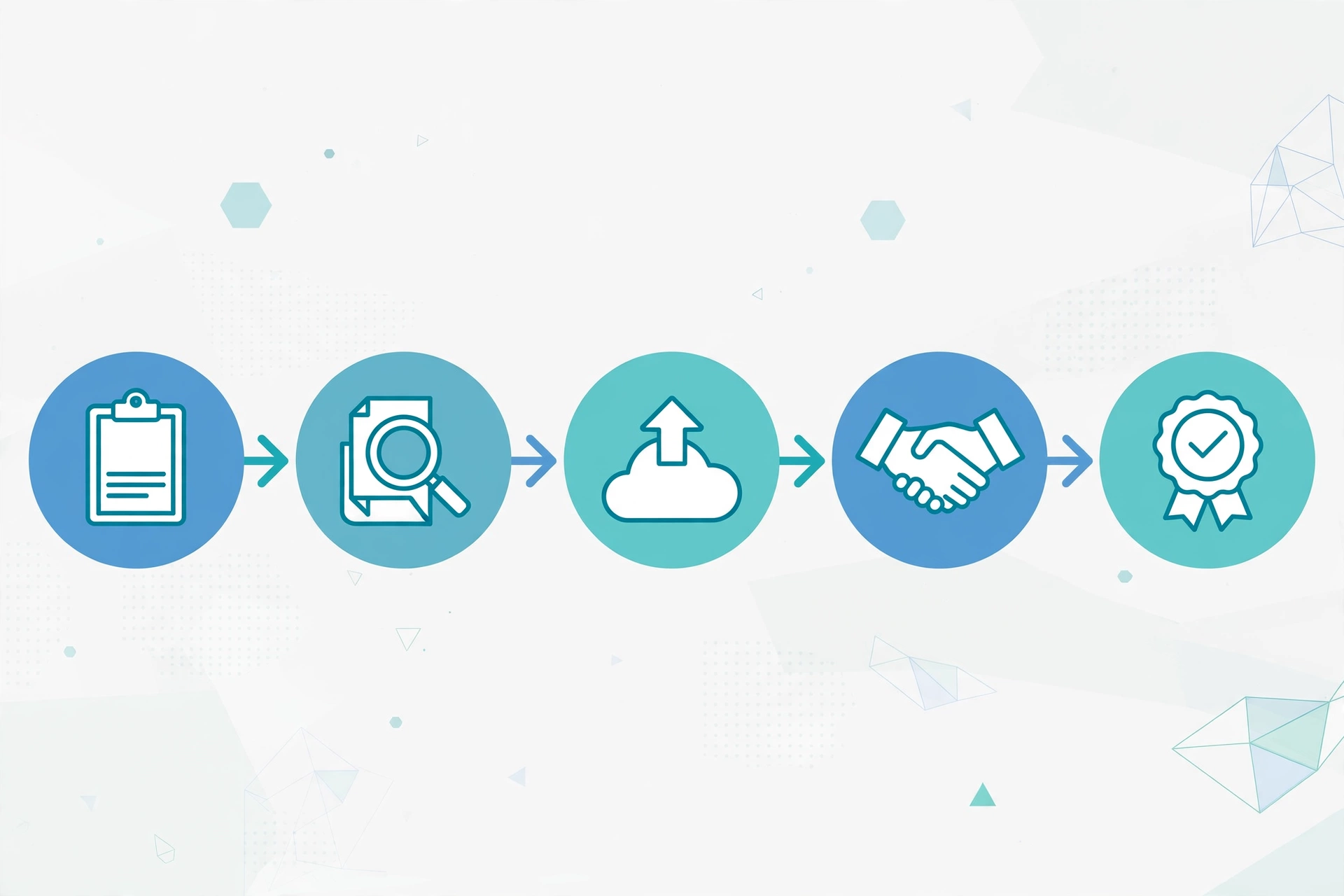
Start at the CAQH ProView provider portal and create your account. You’ll receive a CAQH ID — a unique number that follows you through every payer relationship for the rest of your career. Keep it somewhere safe; you’ll reference it on payer applications, in provider directories, and every time you contact CAQH support.
The application has roughly a dozen sections: personal information, education and training, licenses, board certifications, DEA/CDS registrations, malpractice coverage and history, work history, hospital privileges, and practice locations. This is the longest step — most providers underestimate it. Before you begin, collect every document on this checklist:

Upload each document as a clean, legible PDF. This sounds trivial, but document quality is a top reason applications stall: blurry phone photos of licenses, cropped edges, or files rotated sideways all trigger manual review. Scan once, scan well.
Your profile sits in ProView — but payers can’t see it until you authorize them. Search for each payer you intend to contract with and grant them access. Many new providers finish everything else and forget this step, then wonder why their enrollment is frozen. You must authorize each payer individually, and you can add more later as your network panel grows.
Review the full application, electronically sign the attestation statements, and submit. Your profile is now active — and the clock starts on the 120-day re-attestation cycle explained below. Attestation isn’t one-and-done; it’s an ongoing obligation.
CAQH requires providers to re-attest their ProView profile every 120 days — roughly three times a year — confirming the information is still accurate or updating anything that changed (new license, new address, new malpractice policy). If you miss a re-attestation, CAQH flags your profile as not current, and payers pulling your data see stale information.
The consequences are real: some payers pause enrollment applications on non-current profiles, others use stale data for re-credentialing and start sending “incomplete application” notices, and in managed-care directories you can end up listed with an old address. Providers consistently report that a single missed re-attestation cycle added weeks to their enrollment timeline. Practical fix: set a calendar reminder at 100 days, not 120, and review your profile line by line each cycle — especially licenses, malpractice dates, and practice locations.
Most CAQH delays are self-inflicted. These four account for the bulk of them:
Your legal name on ProView must match your NPI record, your license, and your DEA certificate exactly. Middle names, suffixes, and maiden-to-married name changes are the usual culprits. One mismatch and the payer’s primary-source verification fails — the application goes to the back of the queue while you sort out paperwork.
Every month of your professional history must be accounted for — training counts as employment, and gaps longer than a few weeks need explanation. Residency end dates that don’t match what the hospital reports, or overlapping dates across two sections, trigger manual review. Keep your CV and your ProView dates in perfect sync.
Registering in ProView is not applying to a payer. Providers routinely complete all five steps and assume they’re “credentialed with” an insurance company — but until you file that payer’s own enrollment application and authorize the payer to view your profile, nothing has started. ProView and payer enrollment are two separate processes; ProView just feeds the second.
An expired malpractice face sheet, a DEA certificate that lapsed between submission and committee review, or a license renewal you never uploaded are classic stall triggers. Before you attest — and before every re-attestation — confirm that every dated document in your profile is current.
When you’re vetting vendors to handle your billing, credentialing diligence deserves its own section: see our questions to ask a medical billing company before you sign, and check how they manage payer enrollment as part of onboarding.
Completing the five CAQH credentialing process steps typically takes 1–2 weeks of focused work on your side — registration through attestation. But ProView is only the gate: payer credentialing after that usually takes 60–90 days for Medicare and 90–120 days for commercial payers, so start 4–6 months before you plan to see patients.
Yes. There is no charge to providers to register, complete, upload documents, authorize payers, or attest in ProView. The cost of CAQH credentialing is your time — or the fee of a credentialing service if you outsource it.
Your profile is flagged as not current, which payers can see when they pull your data. Some payers pause enrollment or re-credentialing on stale profiles, and stale directory data can trigger application follow-ups. Set a 100-day reminder and review your profile before each cycle.
No. CAQH ProView is a shared database that payers use during their own credentialing process — you still have to apply to each payer individually and authorize them to view your profile. ProView eliminates redundant paperwork; it doesn’t replace enrollment.
Yes. Your CAQH ID follows you personally, and your profile can list multiple practice locations. Update your locations whenever you add a site — payers credential you at specific locations, and a missing location can mean denied claims at that site.
CAQH is the fastest part of provider enrollment — and still the place where simple mistakes cost months. Register early, complete the five steps carefully, keep your documents current, and never let a re-attestation lapse. Do that, and your enrollment timeline is the payer’s speed, not yours.
If you’d rather have it handled: UMB and Coding runs ProView setup, payer applications, and re-attestation tracking for new and established providers. Contact us for a free credentialing consultation or call 201-942-0949 — and start the clock before you need it, not after.


Leave a comment